CASE STUDY / Geographic data quality
GeoClick Capture
A location selected with context and evidence.
- Status
- Plugin published in the QGIS catalogue
- Contribution
- Independent project · Design and development
- Technologies
- Python · PyQGIS · QGIS
- Reference
- 2.0.1 documented in the repository

- 01Compare sources
- 02Review and decide
- 03Export evidence
TRY THE PROJECT
From documentation to practice.
Try verifying a public location in QGIS. You remain responsible for the decision; the tool organises sources and evidence.
01Prepare the verification
Install GeoClick Capture through the QGIS plugin manager and open a workspace. Choose a public location to compare.
02Compare sources
Search for the location and compare candidates with your layers or gazetteer. Review coordinates and distances between alternatives.
03Record and export
Select the location, document the justification and evidence, and export the review package. Check the HTML report and tables.
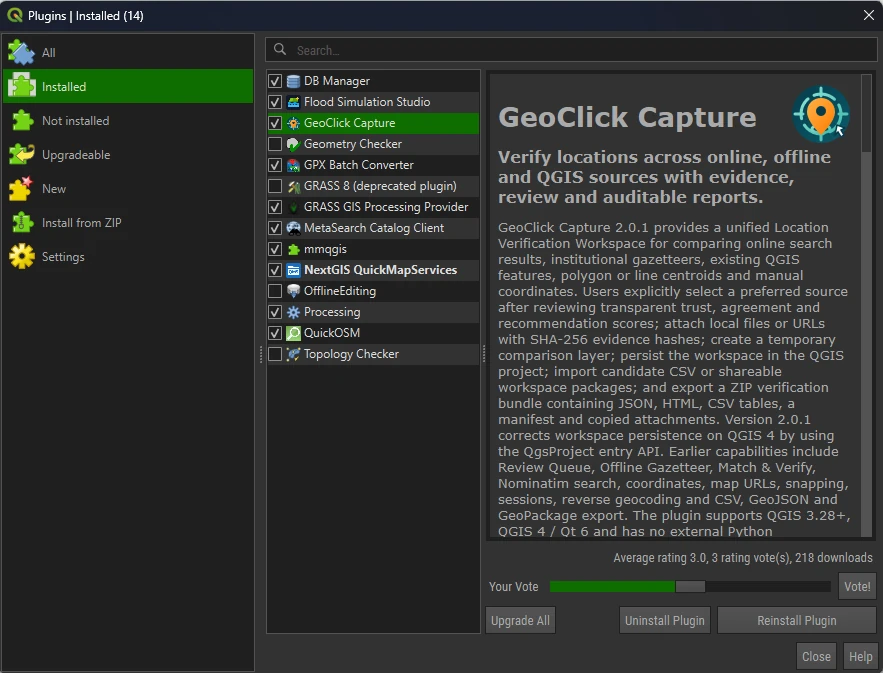
The tool in QGIS
Actual screenshot of the plugin manager: tool identification and feature descriptions.
The problem
Different sources may assign different coordinates to the same place. Alternatives need to be compared and the reasons for the decision retained, especially when someone else will review the data.
The approach
A verification workspace inside QGIS brings together online search, gazetteers, existing layers and manually entered coordinates. Comparison shows agreement and distance between sources, leaving the final decision to the user.
The verifiable result
The plugin documents a review queue and the export of a package containing JSON, an HTML report, CSV tables, a manifest and attachments. The record retains the selected source, justification, reviewer and verification date.
Limitations and status
The automated recommendation supports review; it does not guarantee a correct location. Quality depends on the sources and evidence used. No client impact results are claimed.
Description based on public documentation reviewed on 9 October 2026. Versions and features may change.
Have a similar process?
We can review your project's data, rules and users, and propose a tailored solution.